

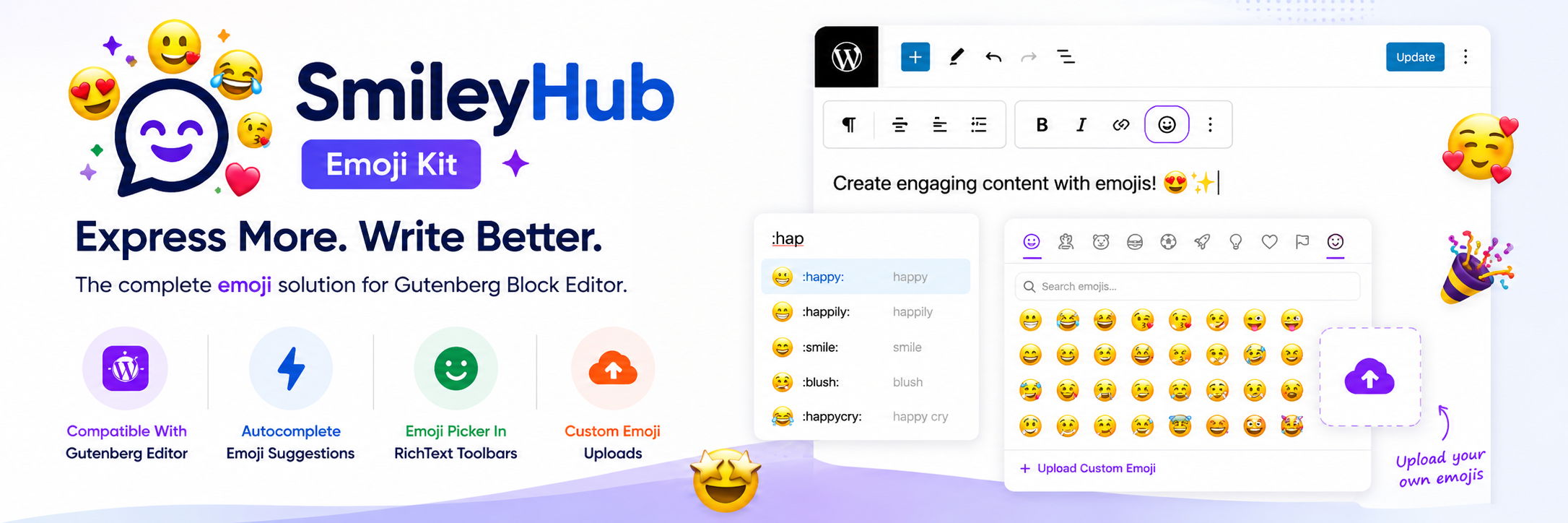
Express More. Write Better.
The complete emoji solution for the WordPress Block Editor.
What is SmileyHub Emoji Kit?
SmileyHub Emoji Kit brings a modern, chat-app-style emoji workflow to the WordPress block editor (Gutenberg). Just type a colon trigger like :fire:, :rocket:, or :happy: inside any RichText block, and emoji suggestions pop up instantly — just like Slack, Discord, or Google Docs. Prefer clicking? Every RichText toolbar gets its own emoji picker, organized into searchable categories, with over 1,900 emoji from the Emojibase library. Want your own emoji? Upload custom PNG, JPG, or GIF images from the Media Library and use them anywhere with a simple shortcode.
No external tracking. No remote scripts. Everything runs locally inside your WordPress install.
⭐🧨✨💀☠️🐶😻🚀😍💪😊✅❌🎨⚡️
Main Features
💬 Colon-Triggered Autocomplete
Type : followed by a keyword anywhere in a RichText block, and SmileyHub Emoji Kit instantly suggests matching emoji — no copy-pasting, no switching tabs, no breaking your writing flow.
😀 Emoji Picker in Every RichText Toolbar
Hover over any text-based block, open the toolbar, and click the smiley icon. SmileyHub Emoji Kit emoji suggestions are available in every block that uses WordPress RichText — Paragraph, Heading, List, Quote, Button, Notice, and many third-party blocks too.
📚 1,900+ Emoji, Powered by Emojibase
SmileyHub Emoji Kit is built on Emojibase, one of the most complete open emoji datasets available. Get instant access to thousands of emoji across every category — smileys, people, animals, food, travel, objects, symbols, flags, and more.
🔍 Search by Name & Keyword
Not sure of the exact shortcode? Just search. SmileyHub Emoji Kit matches emoji by name and by related keywords, so typing “excited,” “party,” or “idea” surfaces the right emoji even if you don’t know its official name.
🖼️ Custom Emoji Uploads
Add your own brand mascots, reaction images, or inside jokes as custom emoji. Upload PNG, JPG, or GIF files straight from the WordPress Media Library, give them a shortcode like :party_parrot:, and they’ll render as inline images anywhere that shortcode appears — including on the frontend.
🧩 Works With the Blocks You Already Use
SmileyHub Emoji Kit doesn’t require a special block. It works inside any editor experience built on WordPress RichText, so it fits naturally into the blocks and themes you’re already using.
Frequently Asked Questions
Where does the emoji data come from? SmileyHub Emoji Kit uses Emojibase metadata for emoji labels, shortcodes, categories, and search keywords.
Does SmileyHub Emoji Kit load remote scripts or external assets? No. SmileyHub Emoji Kit doesn’t load remote scripts for the editor experience — everything is bundled with the plugin.
Which custom emoji file types are supported? PNG, JPG, JPEG, and GIF files, uploaded or selected from the WordPress Media Library.
Where can I add custom emoji? Go to Settings → SmileyHub Emoji Kit in your WordPress dashboard and upload your emoji in PNG, JPG, or GIF format.
How do custom emoji shortcodes work? If you create a custom emoji named party_parrot, anyone writing content can insert it with :party_parrot:. SmileyHub Emoji Kit automatically renders that shortcode as an image wherever it appears on the frontend.
Does this work in the Classic Editor? SmileyHub Emoji Kit is built specifically for the WordPress block editor (Gutenberg).
Get SmileyHub Emoji Kit
SmileyHub Emoji Kit is free and available on the WordPress Plugin Directory.
Download SmileyHub Emoji Kit →
(Link goes live once the plugin is approved and published.)